What an interactive demo is for
A live walkthrough needs a person on a call. A video plays at its own speed, whether or not the viewer cares about the screen in front of them. A free trial asks for an account, a setup and an afternoon. An interactive demo sits in between: the viewer sets the pace, sees your real screens, and reaches the moment your product earns its keep in a minute or two. That makes it useful wherever attention is short and the next step matters:
- On your website, beside the headline, where a visitor decides whether to look further.
- In sales follow-ups, sent after a call so the buyer can show the product to their own team.
- In onboarding and help articles, where a new user needs to know which button does what.
- In launch posts and changelogs, so a new feature can be clicked through instead of described.
What ShotDemo gives you
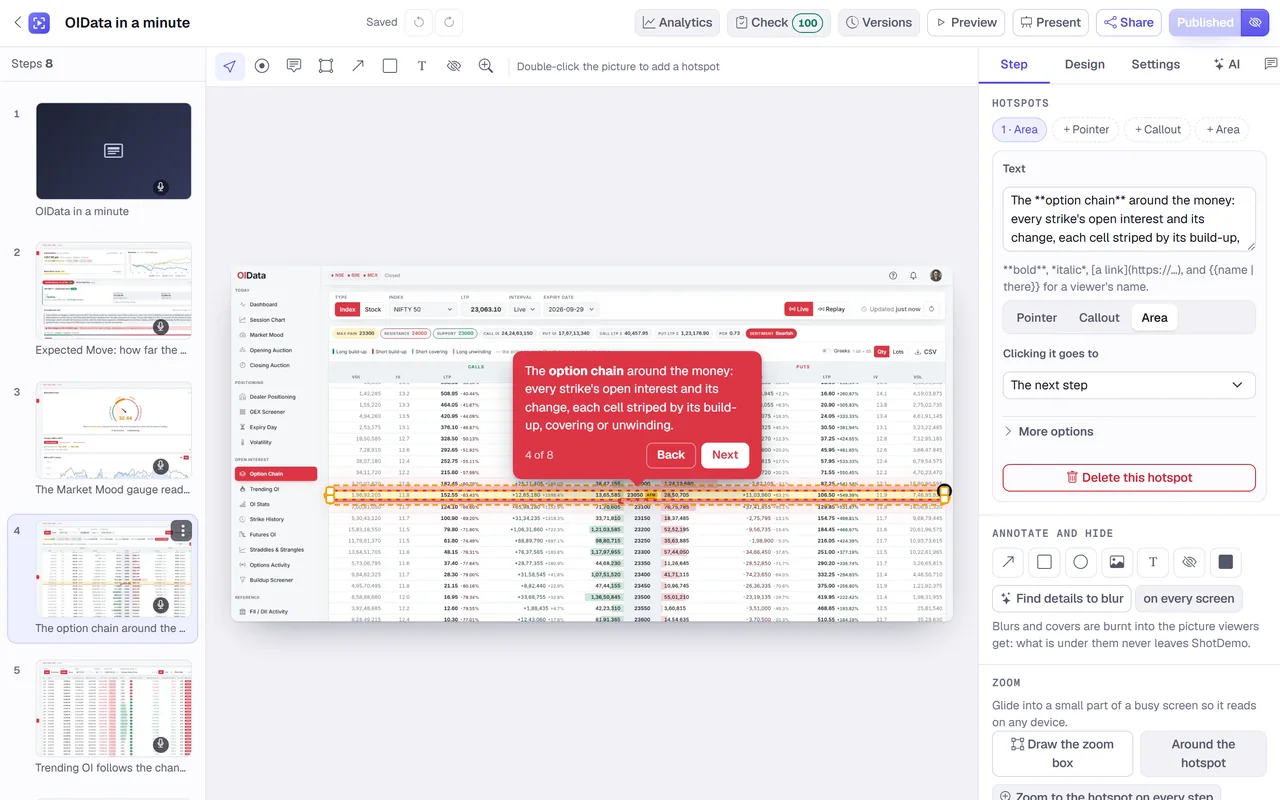
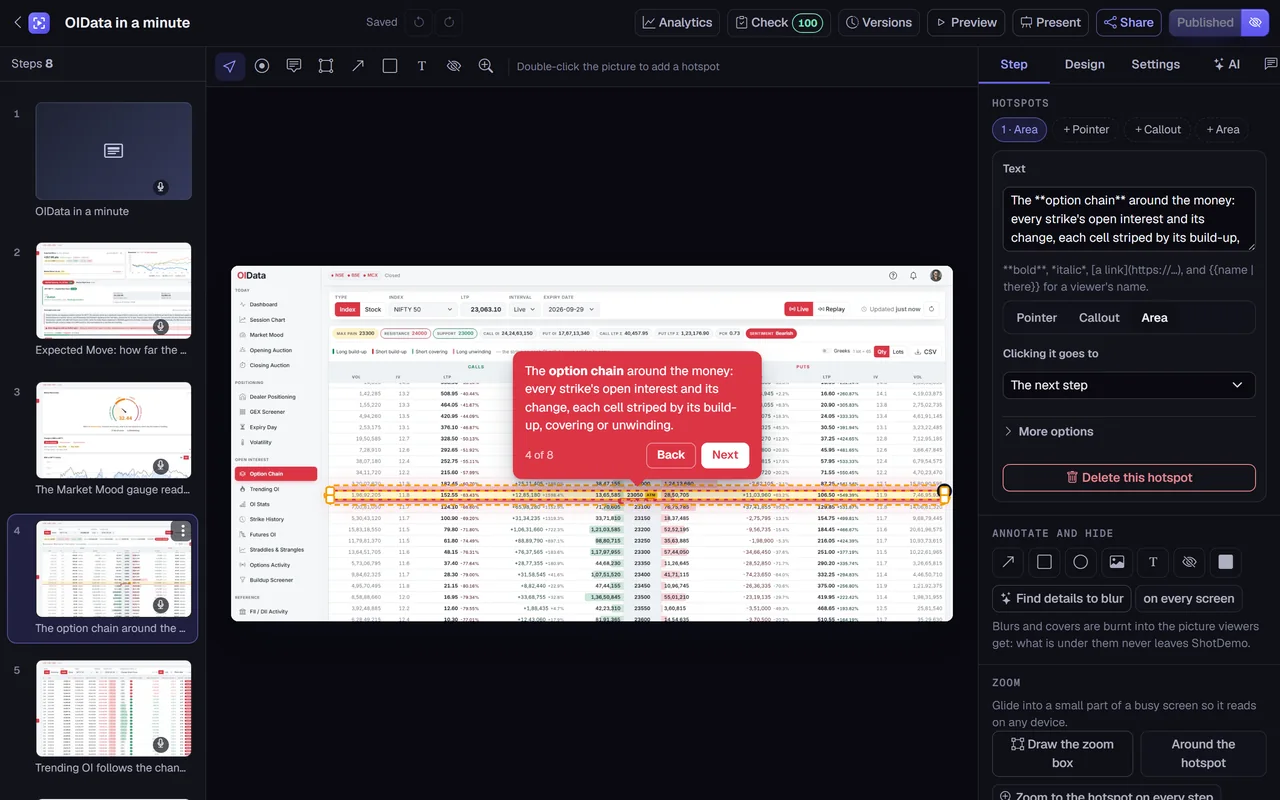
Each screen becomes a step. On a step you place one or more hotspots: a pulsing pointer, a callout bubble, or an outlined area around a table or a panel. Each hotspot carries a few words, its own colour if you like, and the step it leads to, so a demo can branch on what the viewer chooses. Between steps you can add chapters: a welcome card, a form that asks who is watching, a booking calendar or video from providers such as Calendly, HubSpot, Typeform, YouTube or Loom, or a password in front of a section meant only for some viewers.
Anything private stays private. A blur or a solid cover over a customer's name or an account number is burnt into the picture viewers receive, so the original detail never reaches them, while your own copy in the editor keeps it. A zoom glides the view into one part of a busy screen, and arrows, boxes and short notes point at the detail that matters.
The demo can speak. Pick one of Microsoft Azure's natural voices and every step's line is read aloud, with captions, or upload a recording of your own; a quiet music bed can play underneath. And it can be yours in look: colours, corners, fonts, your logo, a browser frame or none, a background colour, gradient or picture, and your own button on its share page.
Sharing it where people already are
Every published demo has a link of its own and a page that shows it with your logo and button. The same demo can be embedded in any website builder, blog or help center that accepts an iframe, opened as a popup from any button on your site, or shown inside your own app with a few lines of script, which can also fill the demo's variables with the signed-in person's name. Links made for one person greet them by name, tell you when they opened it, and can stop working on a date you choose.
Your page can also follow the viewer: the demo reports when it loads, starts, changes step, finishes or is closed, so you can react, for example by opening a chat when someone reaches the end.
Knowing who clicked through
For each demo you see its views, unique viewers, how many reached the last step, how long they stayed and where the others stopped, step by step, with the sources, countries and devices they came from. Views from your own team are left out unless you ask for them. When a demo has a lead form, each answer arrives with the viewer's journey through your demos, by email to the workspace's admins if you want it, and on to your tools through a webhook, Slack, a HubSpot form or a Salesforce web-to-lead.
How long it takes to make one
Most demos take under an hour from the first screenshot. Upload the screens in the order you would click through them, and each arrives with a hotspot waiting in the middle of the picture. Drag it onto the right element, write what it does, and move to the next step. If you would rather start from words already written, let the AI describe each step from its screenshot in plain language, in English or another language, then change whatever it got wrong. Publish, and the link works at once; publish again whenever you change something, and the last fifty versions stay available to restore.
Paying once instead of per seat
ShotDemo is not sold by the seat or by the month. It is free to try, with as many demos as you like and one of them live, with a small badge. When a demo matters, buy it once for $12: it loses the badge, stays live for good, and gets lead forms, password protection, links for one person, each viewer's journey, clean video exports and an offline copy. Nothing renews, and once you have bought a demo, adding a colleague never adds to the bill.
Questions people ask first
Do I need a browser extension? No. A demo starts from screenshots you already have, or from your website's address, which ShotDemo visits to capture the pages. If you would rather click through your product, the free ShotDemo extension for Chrome turns each click into a step.
Does it work on phones? Yes. On a narrow screen the words of each step move into a panel under the picture, so nothing covers your product.
Can it become a video? Yes. Any published demo exports as a narrated MP4 or a GIF, in the shapes social feeds and ads need, for the places where nobody can click.